
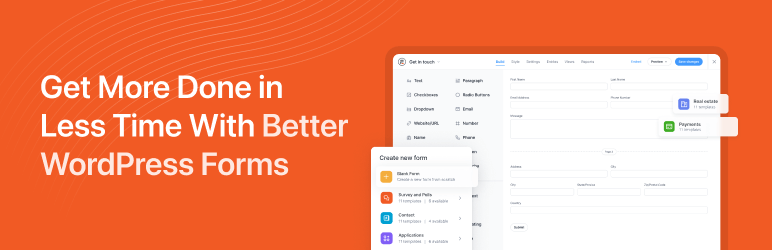

Description
The most powerful drag and drop WordPress form builder for contact forms, payment forms, calculators, quizzes, surveys, and data-driven applications.
The Most Powerful WordPress Form Builder Plugin
Formidable Forms is the most powerful drag and drop form builder for WordPress. Easily add contact forms, payment forms, survey forms, quiz forms, calculator forms, registration forms, custom forms, data tables, and complete web applications to your website, without any code.
Whether you’re a beginner creating your first contact form or a developer building a complex member directory or data-driven application, Formidable Forms scales with you.
Stop paying for a single-purpose contact form plugin. With Formidable’s drag and drop form builder, one plugin replaces five, so you can build forms, collect payments, run surveys, grade quizzes, generate online calculators, and build web apps, all inside WordPress without writing a single line of code.
Watch the video overview for the Formidable form builder, calculator, and quiz builder
Formidable Pro – The Ultimate WordPress Forms Plugin
This plugin is the free version of Formidable Pro, which unlocks email subscription forms, multi-page forms, file upload forms, quiz grading, and conditional logic. Add repeater fields, payment integrations with Stripe and PayPal, cascading dropdown fields, calculated fields, front-end form editing, the AI form builder, and the powerful web application builder.Formidable Pro is more than a contact form plugin. It’s a complete platform for building smart forms and web applications. Upgrade to the most advanced premium WordPress form builder now!
Vous pouvez aussi commencer par comparer les différences entre les versions Lite et Pro.
Drag and Drop Form Builder for Every Type of WordPress Form
Formidable’s drag and drop form maker makes it fast to create any form you can imagine. Start from one of 300+ pre-built form templates, design a completely custom form from scratch, or describe what you need and let the AI form builder generate it for you in seconds. Build a simple contact form in minutes, or layer in conditional logic, multi-step pages, and calculated fields to create sophisticated registration forms, quote forms, and price calculator forms. The form builder is optimized for outstanding speed and server performance, making it one of the fastest WordPress form plugins available.
Unlimited forms are included in the free version, and every form you build is mobile-responsive out of the box. Whether visitors land on your site via desktop, tablet, or phone, your contact forms, survey forms, and payment forms look great and work flawlessly on every device. No other drag and drop form builder for WordPress gives you this depth of functionality starting from the free tier.
Entry Management for Your Free WordPress Contact Forms
Every form submission is stored securely in your WordPress database, so no lead is ever lost. Access entries from the form builder back-end, export to CSV for use in Excel or any other platform, and import leads directly to services like Mailchimp. Formidable is fully GDPR-friendly, giving you controls for IP tracking, saving submissions, and adding GDPR consent fields to any form.
Automate follow-up with customizable email notifications and autoresponders. Set up redirect rules or success messages to guide visitors after form submission. From your first contact form to advanced payment forms and registration forms, every detail of the post-submission experience is in your hands. Built-in invisible SPAM protection keeps your entries clean from bots and spam submissions.
The Only Form Builder Plugin with an Advanced Visual Form Styler
Formidable is the only WordPress form builder with a built-in visual style creator. Match your contact forms, survey forms, and payment forms to your brand in just a few clicks, no custom CSS required. Adjust colors, fonts, layouts, and field styles to create online forms that blend seamlessly with any WordPress theme. For agencies and developers, the visual form styler means you can deliver beautiful, on-brand forms for every client without touching a line of code.
Build Smart Survey Forms and Generate Insightful Reports
With Formidable Pro, you get survey tools that rival SurveyMonkey, without the monthly subscription cost. Build survey forms and poll forms with Net Promoter Score (NPS) fields, Likert scales, star ratings, and image choices. Analyze survey results instantly and display beautiful graphs and charts directly on your WordPress pages and posts. Formidable’s survey form builder makes it simple to gather data, understand it, and act on it, all inside WordPress.
Advanced WordPress Registration Forms for Teams and Events
Formidable goes far beyond basic contact form functionality. The repeater field makes it easy to build comprehensive registration forms for sports teams, events, retreats, courses, and membership sites. Robust marketing integrations and API connections let you funnel registration data to your CRM, email platform, or any other tool in your stack automatically. Whether you’re building an event registration form or a complex multi-step membership application, the form builder handles it.
Payment Forms with Stripe, PayPal, Square, and More
Accept credit card payments, subscriptions, and donations directly through your WordPress forms. Formidable integrates with leading payment gateways including Stripe, PayPal, Square, and Authorize.net. Set up a donation form, product order form, event registration payment form, or service booking payment form in minutes. WooCommerce store owners can build custom product configurator forms with dynamic pricing and calculation fields that feed directly into the WooCommerce cart.
Stripe payment forms are available in the free version, supporting ACH, Cash App, Klarna, iDeal, and more. A transaction fee applies without a Pro license. For in-person events and hybrid businesses, payment forms can be set up for cash, manual payment recording, and on-site collection, giving you complete flexibility for online and in-person transactions.
Build Data-Driven Web Applications with Formidable Views
Formidable Forms is not just a WordPress contact form plugin. It’s a complete platform for building web applications. With Formidable Views, you can display submitted form data on the front-end of your WordPress site, creating searchable databases, directories, event calendars, job boards, real estate listings, member directories, and more. No additional plugin required. The form builder and application builder are tightly integrated, so you can go from form to full application without ever leaving WordPress.
Quiz Forms, Online Calculators, and Calculator Forms
Formidable’s quiz form builder and calculator form builder are industry-leading features that set it apart from every other WordPress form plugin. Build educational assessments, personality quizzes, scored tests, and viral BuzzFeed-style quizzes with ease. For calculator forms and online calculators, the possibilities are endless: mortgage calculators, loan calculators, BMI calculators, price calculators, instant quote calculators, ROI calculators, cost estimators, and more. These interactive calculator forms and online calculators give visitors instant results and give you a powerful lead generation tool. No other drag and drop form builder for WordPress combines quizzes, scored forms, and fully functional online calculators in one free plugin.
WordPress User Registration Forms and Profile Forms
For membership sites and community platforms, Formidable offers advanced customization options for WordPress user registration forms and user profile forms. Enable front-end profile editing so users can update their information without ever visiting the WordPress dashboard. From initial contact form to lead form to final payment form, every step of the user journey is covered by Formidable’s drag and drop form builder.
Advanced Fields and Features for High-Converting Forms
Formidable’s form builder includes everything you need to create professional, high-converting forms. Multi-page forms with progress bars boost completion rates. Save-and-continue lets users finish long forms on their own schedule. Cascading dropdowns, conditional logic, partial submissions, and invisible spam protection are all included. Calculated fields power your online calculator forms and instant quote forms automatically.
For developers and agencies, Formidable is the premier WordPress form builder choice. Customize form HTML directly (similar to Contact Form 7, but with full drag and drop power on top). Extend with hooks and filters. Build complex data-driven web applications with low overhead. Formidable supports the most sophisticated projects while remaining approachable for beginners building their first contact form.
With the AI form builder (Pro), you can describe any form in plain text and have it built for you instantly. Need a multi-step registration form, a quote calculator, or a patient intake form? Just type what you need and the AI generates a fully structured, editable form in seconds. You can also add an AI field directly inside any form to display AI-generated responses based on user input, then include those responses in confirmation messages, email notifications, or Formidable Views. Every form is WCAG-compliant and accessible by default, making your forms usable for all visitors.
Comment construire un formulaire de devis instantané
Liste complète des fonctionnalités
- Drag and Drop Form Builder – Create contact forms, payment forms, survey forms, and more visually
- Calculator Forms – Build mortgage calculators, loan calculators, BMI calculators, price calculators, online quote calculators
- Survey Forms – NPS, Likert scale, star rating, image choice fields for powerful survey forms
- Multi-Step Forms – Multi-page forms with progress bars and conditional logic
- Payment Forms – Stripe, PayPal, Square, Authorize.net payment form integrations online and in-person
- WooCommerce Form Builder – Custom product forms with dynamic pricing
- Formidable Views – Display form data: directories, job boards, event calendars, real estate listings
- Form Templates – 300+ pre-built form templates for every use case
- Conditional Logic – Smart forms that show and hide fields dynamically
- File Upload Form – Accept documents, photos, and files in any form
- Quiz Form Builder – Scored quizzes, personality quizzes, graded assessments, viral quiz forms
- User Registration Form – WordPress registration and profile forms for membership sites
- PDF Forms – Generate PDFs, certificates, and invoices from form submissions
- Invisible SPAM Protection – Honeypot, Akismet, reCAPTCHA, hCaptcha, Cloudflare Turnstile
- Customize Form HTML – Full control over form HTML like Contact Form 7, plus drag and drop
- Conversational Forms – One-question-at-a-time form experience like Typeform
- Landing Page Forms – Distraction-free form landing pages
- Repeater Fields – Add multiple rows of fields in registration and order forms
- Visual Form Styler – Brand your forms with colors, fonts, and layouts, no CSS required
- Cascading Dropdown Fields – Dynamic dependent dropdowns for complex forms
- Digital Signatures – Collect signatures in contract and booking forms
- Front-End Editing – Let users edit their own form submissions without logging in
- WCAG-Compliant Forms – Accessible form builder for all users
- AI Form Builder – Create entire forms from a plain text description in seconds
Payment Forms, Marketing APIs, and Business Integrations
Formidable Pro connects your WordPress forms to every major platform in your marketing and business stack. The form builder’s integration ecosystem means you never lose a lead or miss a workflow.
Payment Forms: Accept online payments with Stripe Forms (one-time or recurring, with ACH, Cash App, Klarna, iDeal support), PayPal Forms (instant and recurring), and Authorize.net (one-time payments in order forms and calculator forms). Formidable charges zero transaction fees on all payment forms with a valid license. For in-person payments, cash, and manual payment collection, Formidable’s flexible payment form architecture supports hybrid billing workflows.
Email Marketing: Direct integrations for Mailchimp, Constant Contact, AWeber, MailPoet, ActiveCampaign, HubSpot, Salesforce, GetResponse, and Campaign Monitor make lead collection seamless. Connect any contact form, survey form, or registration form to your email list in minutes.
CRM and Automation: Zapier integration connects your WordPress contact forms and payment forms to thousands of apps. Use SMS notifications via Twilio, sync data to Zoho CRM, HubSpot CRM, Salesforce, Highrise, and more. Automate form-triggered workflows without writing code.
WooCommerce Integration: As the only WordPress form builder plugin fully integrated with WooCommerce, Formidable lets you build custom WooCommerce product forms with variable pricing, configuration options, and calculated totals that flow directly into the cart.
Multilingual Forms: Reach a global audience with WPML and Polylang integrations for multilingual WordPress forms.
WordPress Form Builder for Every Industry and Use Case
Formidable is the drag and drop form builder of choice across every industry. Small businesses use it for contact forms and lead capture. Financial services companies build loan calculators and quote forms. HR teams and researchers build survey forms. Schools and event coordinators build registration forms. Educators use the quiz form builder for scored assessments. Nonprofits build donation forms. Legal and medical practices use file upload forms for intake. Membership sites use it for user registration forms. Real estate and job sites build front-end directories. Service businesses use it for booking and appointment forms. Agencies and developers choose Formidable because it handles everything from a simple contact form to a complex web application in a single plugin.
Formidable Forms Branding Guidelines
Formidable Forms may also be referred to as Formidable, Formidable Form Builder, Formidable Pro, or Formidable Views.
The Best Gravity Forms Alternative, WPForms Alternative, and JotForm Alternative for WordPress
If you’re looking for an advanced WordPress form builder as a Gravity Forms alternative, Formidable Forms delivers more power at a lower price, with a completely free version that Gravity Forms doesn’t offer. As a WPForms alternative, Formidable goes deeper: beyond contact forms into calculator forms, web applications, and data-driven front-end displays that WPForms simply can’t match. Looking for a JotForm alternative or Typeform alternative that keeps your data on your own server? Formidable is the answer. All form data stays in your WordPress database, not on an external SaaS platform. Formidable is also the top Contact Form 7 alternative for anyone who has outgrown CF7’s limited feature set and wants drag and drop power on top. Compared to SurveyMonkey, Formidable Pro delivers professional survey forms, NPS forms, Likert scale fields, and real-time results directly inside WordPress, without a separate subscription. Ninja Forms users looking for more built-in power will find Formidable’s form builder offers calculators, Views, and a web application builder that Ninja Forms add-ons can’t replicate in a single plugin. Fluent Forms and Forminator users who need advanced calculator forms and a complete data display layer consistently upgrade to Formidable.
Crédits
Cette extension de création de quiz et de formulaires en ligne est créée par Steve et Steph Wells en coopération avec l’incroyable équipe de Strategy11 et son conseiller Syed Balkhi.
Captures d’écrans


Blocs
Cette extension fournit 2 blocs.
- Simple Form
- Formidable Views
Installation
- Allez sur votre Plugins -> Ajoutez une nouvelle page dans WordPress admin
- Recherchez « Formidable »
- Cliquez le bouton « Installer » puis « Activer »
- Accédez au nouveau menu ’Formidable’
- Cliquez sur le bouton « Ajouter » pour accéder à la page du générateur de formulaire et créer un nouveau formulaire d’e-mail.
- Insérez votre nouveau formulaire de prospect, d’enquête ou quiz sur une page ou une publication en utilisant la fenêtre contextuelle Embarquer le formulaire. Ou insérez-le manuellement ou dans un widget en utilisant un code court [formidable id=x]. Vous pouvez également utiliser
<?php echo FrmFormsController::show_form(2); ?>pour l’ajouter dans un fichier de thème.
FAQ
-
Comment commencer avec les meilleurs formulaires pour WordPress ?
-
La façon la plus rapide de construire un formulaire est d‘utiliser l‘exemple que nous avons construit pour vous. Après avoir activé Formidable, insérez [formidable id=contact-form] sur la page WordPress de votre choix.
Allez sur la page Formidable et cliquez « Ajouter ». Choisissez le modèle de formulaire de contact, ou un autre, puis cliquez « Créer ».
Ensuite, modifiez ou créez une page de contact WordPress. Cliquez sur le bouton « Formidable » pour ouvrir le générateur de code court. Choisissez votre nouveau formulaire web et insérez-le dans la page WordPress. Enregistrez la page pour utiliser un superbe formulaire de contact WP prêt à recueillir les informations concernant vos prospects et à les stocker. Avec le modèle de formulaire de contact, vous pourrez démarrer en quelques clics.
-
Pourquoi WordPress n’envoie pas d’e-mail ?
-
Lorsque vous ne recevez pas d’e-mails, essayez les étapes suivantes :
- Vérifiez l’adresse e-mail dans votre action Emailing de la page de réglages. Le code court [admin_email] utilise l’adresse e-mail qui figure dans vos Réglages WordPress -> page Général.
- Recevez-vous d’autres e-mails de votre site (notifications de commentaires, mot de passe oublié…) ? Si non, les notifications ne fonctionneront pas non plus.
- Vérifiez le contenu de votre dossier « Indésirables »
- Essayez en mettant une autre adresse e-mail dans vos réglages.
- Installez WP Mail SMTP ou une autre alternative similaire d’envoi d’e-mails et configurez les réglages SMTP.
- Si ces étapes ne résolvent pas le problème et que d’autres e-mails d’inscription WP ne sont pas envoyés, veuillez contacter votre hébergeur web.
En savoir plus sur les problèmes d’envoi des e-mails WordPress sur notre blog.
-
Quels types de formulaires WordPress puis-je créer ?
-
Associé avec nos modules complémentaires, Formidable est le créateur de formulaires le plus puissant du marché. Voici quelques types de formulaires web que vous pouvez créer.
- Formulaire de contact personnalisé
- Formulaire multi-page avec barre de progression
- Dynamic Form (where fields change based on user’s answers)
- Formulaire de demande de devis
- Formulaire de candidature
- Enquêtes de satisfaction
- Faire une suggestion
- Témoignages
- Demandes de modification
- Réservation en ligne
- Réservation événement
- Formulaire RSVP en ligne
- Formulaire d’inscription utilisateur personnalisé sur WordPress (Idéal pour les sites d’adhésion)
- Formulaire de connexion WordPress
- Profil utilisateur WordPress personnalisé
- Formulaire de soumission d’article WordPress (Top pour des articles invités)
- Formulaire WooCommerce pour produits
- Formulaire de paiement par carte bancaire
- Créez un formulaire de don
- Formulaire de commande de t-shirt
- Formulaire d’achat de produit
- Génération de prospects
- Formulaire automobile avec marque et modèle du véhicule
- Autorisation d’exploitation de droit à l’image vidéo
- Accords de partenariat
- Formulaire de demande de congés
- Pétition en ligne
- Formulaire de signature
- Demande de maintenance
- Formulaire de demande de bourse d’études
- Formulaire de téléchargement de fichiers
- Vérification d’emploi
- Parrainez vos collègues ou vos proches
- L’Inscription pour les Adhérents, Clients, Vendeurs, Conférences ou Bénévoles
- Formulaires d’inscription pour des cours, colonies de vacances, formations et autres évènements.
- Questionnaire personnalisé
- Sondages
- Quiz
- Calculateur de crédit immobilier
- Calculateur prêt auto
- Calculatrice IMC
- Calculateur d‘âge utilisateur
- Calculateur de devis en ligne
- Calculatrice d’intérêts composés
- Calculateur d’amortissement d’emprunt
- Calculateur d’apport calorique
- Calculateur de date d’accouchement
- Jours entre les dates
- Avis recettes
- Quiz de personnalité
- Quiz viral
- Quiz comme Cosmopolitan
- Quiz type choisis ton aventure
To see more, visit our Form Template Gallery which has over 300 pre-made templates.
-
Puis-je voir des exemples de calculateurs en ligne ?
-
Bien sûr ! Voici quelques exemples :
* Calculateur d’emprunt avancé
* Calculateur d’emprunt de base
* Calculateur de paiement de voiture
* Enquête de score de promoteur net (NPS)
* Calculateur d’IMC et autres calculateurs liés à la santé et au bien-être
* Calculateur d’âge des internautes
* Calculateur de devis en ligne
* Calculateur de finances
* Calculateur de coûts de réservation
* Calculateur de prix de produit -
Comment je peux accéder à toutes les fonctionnalités avancées ?
-
Pour accéder à plus de fonctionnalités, intégrations et support client, passez à Formidable Pro. Une licence Pro vous donne accès à la version complète de Formidable avec des options plus avancées, Formidable Views, des graphiques et statistiques, un support client prioritaire et des modules (Formidable Add-ons) !
-
Puis-je créer un formulaire de paiement ?
-
Yes! We make it easy to accept payments using Stripe, Square, PayPal, and Authorize.net.
Notre intégration Stripe vous aide à accepter des paiements par carte bancaire en ligne rapidement. Nos formulaires PayPal vous permettent de traiter des paiements PayPal, abonnements et dons.
-
Quels types de champs sont disponibles dans l’extension Formidable ?
-
Notre constructeur de formulaires et de quiz personnalisé est fourni avec tous les champs puissants dont vous avez besoin pour créer, rapidement, un formulaire axé sur la solution !
- Champs texte simple – Idéal pour nom, numéro de téléphone, adresse, etc.
- Site/URL
- Texte en paragraphe
- Cases à cocher et boutons radio
- Champ de sélection déroulant
- Nombre
- Numéro de téléphone
- Champs cachés
- Identifiant
- Bloc HTML – Idéal pour le HTML personnalisé
- Captcha pour Google reCAPTCHA (invisible V2 ou case à cocher V2, V3), hCaptcha, ou Cloudflare Turnstile.
- GDPR – Great for compliance with General Data Protection Regulation (GDPR).
Voici une liste de nos champs premium avancés qui pourraient vous aider :
- Téléversement de fichiers
- Texte riche
- Date
- Heure
- Redimensionner
- Évaluation par étoiles
- Classement
- Curseur de plage
- Permuter
- Dynamique – Idéal pour créer des relations entre soumissions.
- Répéteur – Parfait pour inscrire plusieurs enfants, renseigner son expérience professionnelle et bien plus encore.
- Étiquettes
- Résumé – Idéal pour vérifier les réponses avant soumission.
- Lookup – Idéal pour des lookups en cascade tels que pays, ville, état.
- En-tête de section
- Saut de page
- Formulaire de contenu embarqué – Idéal pour réutiliser le même groupe de champs à plusieurs endroits.
- Champ Mot de passe
- Champ d’adresse – Rendez-le plus puissant grâce à l’auto-remplissage Google et la géolocalisation.
- Signature – Idéal pour les contrats et les formulaires de réservation.
- AI – Display AI-generated responses inside your form using OpenAI. Great for personalized results, recommendations, and dynamic content.
De plus, nos champs de paiement vous aideront à créer un formulaire de paiement pour les cartes bancaires, un formulaire de don, ou un formulaire de réservation.
- Élément unique
- Éléments multiples
- Éléments de case à cocher
- Éléments de liste déroulante
- Quantité de produit
- Total
- Credit Card (Stripe, Square, or Authorize.net)
-
Puis-je importer et exporter les envois ?
-
Oui, c’est facile de faire des importations et exportations, ce qui est super utile pour des développeurs/développeuses et agences qui créent des sites web pour des clients. Vous pouvez également créer des modèles de formulaires personnalisés pour vos clients.
Vous pouvez également importer depuis d’autres extensions de formulaires de contact WordPress tels que Gravity Forms et Pirate Forms. Et même si nous n’avons pas d’outil d’importation dédié, cette extension est une bonne alternative à Caldera Forms.
-
Puis-je intégrer Formidable Forms à mon CRM ou à mon service de marketing par e-mail ?
-
Oui, nous savons que marketing est la clé pour développer votre business. C’est pour ça que Formidable vous permet de connecter votre formulaire WP (formulaire e-mail, formulaire de paiement, etc) à la plateforme marketing de votre choix. Vous pouvez facilement envoyer des données de WordPress à votre CRM, solution mailing ou autre plateforme marketing de préférence.
Voici une liste de nos intégrations CRM et marketing par e-mail :
- Mailchimp
- AWeber
- Constant Contact
- GetResponse
- MailPoet
- Active Campaign
- CRM Salesforce
- HubSpot CRM
- Campaign Monitor
- CRM Highrise
Grâce à notre intégration Zapier, vous pouvez facilement connecter votre site web avec plus de 5000 applications de marketing, y compris :
- Sendinblue
- Zoho CRM
- Zoho Mail
- Zoho Invoice
- Agile CRM
- Slack
- Trello
- Infusionsoft by Keap
- Microsoft Excel
- Dropbox
- PipeDrive CRM
- HelpScout
- Zendesk
- Freshbooks
- Freshsales
- Intercom
- Click Funnels
- Microsoft Dynamics 365 CRM
- Capsule CRM
- Insightly CRM
- Printfection
- Acuity Scheduling
- Quickbooks en ligne
Voir toutes les intégrations Formidable Zapier.
Avis


Contributeurs/contributrices & développeurs/développeuses
« Formidable Forms – WordPress Form Builder for Contact Forms, Calculators, Quiz & More » est un logiciel libre. Les personnes suivantes ont contribué à cette extension.
Contributeurs


“Formidable Forms – WordPress Form Builder for Contact Forms, Calculators, Quiz & More” a été traduit dans 21 locales. Remerciez l’équipe de traduction pour ses contributions.
Le développement vous intéresse ?
Parcourir le code, consulter le SVN dépôt, ou s’inscrire au journal de développement par RSS.
Journal des modifications
6.32
- New: The form listing table now includes new Embeds and List Settings columns, for displaying every post and page where a form is embedded, and an added gear icon for controlling screen options.
- New: The generated Formidable CSS file can now work from the uploads directory instead of the plugin directory. This will automatically work based on the DISALLOW_FILE_MODS constant, and can additionally be controlled using a new frm_add_css_to_uploads_dir filter.
- New: Field errors will now get removed automatically on change events regardless of the JS validation setting.
- Fix: The aria-describedby attribute would not update properly when a form was submitted with errors for fields with multiple inputs.
- Fix: A small styling rule has been added to prevent HTML fields from overflowing past their container when using long strings.
- Fix: Color pickers used on the styler page have been updated to help maintain the active color format, preventing automatic conversions from rgb to hex.
- Fix: Validation for Square has been modified to prevent the submit button from remaining disabled when the Square inputs do not include a postal code input, which happens in some countries including Japan and Australia.
- Fix: A cannot modify header information – headers already sent by FrmTransLiteHooksController.php:108 warning has been fixed.
- Fix: Custom CSS saved in styles would not appear as expected after duplicating, showing additional CSS selectors for the original style.
- Fix: A possible TypeError when calling wp_is_valid_utf8 with a null value has been fixed.
- Fix: A new style would not properly rename when it did not yet have a style ID.
- Fix: PayPal Commerce has been updated to prevent issues where Google Pay and Apple Pay options would not appear if the SDKs had not loaded in time.
- Fix: PayPal Commerce orders and products were not including the payment action description setting.
- The overdue subscription cron message will no longer get logged when there are no active subscriptions.
6.31
- New: Formidable now supports PayPal Commerce. This is built into the Lite plugin. To get started, go to Global Settings > Payments > PayPal to connect your business account.
- New: Form action settings have been redesigned.
- New: Payment actions now use buttons to toggle the selected gateway, and gateway is the top action setting. Note that when custom gateways or Authorize.Net are active, gateways will still revert to the old settings.
- New: The Collect a Payment action icon is now hidden by default, replaced by individual icons for Stripe, Square, and PayPal Commerce. If other gateways are active, Collect a Payment is still included.
- New: Border styling rules have been added so autofill fields in Chrome and Safari will appear more consistent with other fields.
- New: A new frm_after_import_forms action has been added for handling an imported XML after all forms have been imported.
- Fix: A form would incorrectly try to submit a second time when redirecting and submitting with AJAX.
6.30
- New: Product, Quantity, and Total fields are now available in Lite! These are all included in the Pricing Fields section, now located above the Advanced Fields section.
- New: Global custom CSS is now scoped to only style form previews on admin pages to prevent custom CSS from changing the appearance of other elements on the page.
- New: New frm_after_create_entry_{form_key} and frm_after_update_entry_{form_key} actions have been added.
- Fix: When editing an entry, the Other option would not correctly appear selected.
- Fix: Entries would fail to save in some cases where entry names would exceed 255 characters with special unicode characters.
- Fix: Custom style CSS would not properly prefix selectors when ::before or ::after were used.
- Fix: Attempting to refund a Square payment would result in a fatal error when the Stripe or Authorize.Net add-ons were also active.
- Fix: A check has been added to prevent a possible Cannot access offset of type string on string fatal PHP error issue.
Consultez le journal des modifications pour en savoir plus sur toutes les versions
