
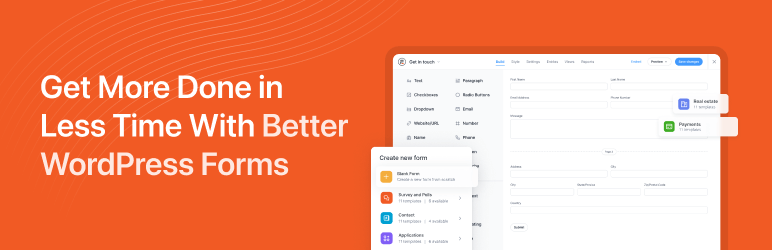

説明
The most powerful drag and drop WordPress form builder for contact forms, payment forms, calculators, quizzes, surveys, and data-driven applications.
The Most Powerful WordPress Form Builder Plugin
Formidable Forms is the most powerful drag and drop form builder for WordPress. Easily add contact forms, payment forms, survey forms, quiz forms, calculator forms, registration forms, custom forms, data tables, and complete web applications to your website, without any code.
Whether you’re a beginner creating your first contact form or a developer building a complex member directory or data-driven application, Formidable Forms scales with you.
Stop paying for a single-purpose contact form plugin. With Formidable’s drag and drop form builder, one plugin replaces five, so you can build forms, collect payments, run surveys, grade quizzes, generate online calculators, and build web apps, all inside WordPress without writing a single line of code.
Watch the video overview for the Formidable form builder, calculator, and quiz builder
Formidable Pro – The Ultimate WordPress Forms Plugin
This plugin is the free version of Formidable Pro, which unlocks email subscription forms, multi-page forms, file upload forms, quiz grading, and conditional logic. Add repeater fields, payment integrations with Stripe and PayPal, cascading dropdown fields, calculated fields, front-end form editing, the AI form builder, and the powerful web application builder.Formidable Pro is more than a contact form plugin. It’s a complete platform for building smart forms and web applications. Upgrade to the most advanced premium WordPress form builder now!
または、Lite と Pro の比較から始めてみましょう。
Drag and Drop Form Builder for Every Type of WordPress Form
Formidable’s drag and drop form maker makes it fast to create any form you can imagine. Start from one of 300+ pre-built form templates, design a completely custom form from scratch, or describe what you need and let the AI form builder generate it for you in seconds. Build a simple contact form in minutes, or layer in conditional logic, multi-step pages, and calculated fields to create sophisticated registration forms, quote forms, and price calculator forms. The form builder is optimized for outstanding speed and server performance, making it one of the fastest WordPress form plugins available.
Unlimited forms are included in the free version, and every form you build is mobile-responsive out of the box. Whether visitors land on your site via desktop, tablet, or phone, your contact forms, survey forms, and payment forms look great and work flawlessly on every device. No other drag and drop form builder for WordPress gives you this depth of functionality starting from the free tier.
Entry Management for Your Free WordPress Contact Forms
Every form submission is stored securely in your WordPress database, so no lead is ever lost. Access entries from the form builder back-end, export to CSV for use in Excel or any other platform, and import leads directly to services like Mailchimp. Formidable is fully GDPR-friendly, giving you controls for IP tracking, saving submissions, and adding GDPR consent fields to any form.
Automate follow-up with customizable email notifications and autoresponders. Set up redirect rules or success messages to guide visitors after form submission. From your first contact form to advanced payment forms and registration forms, every detail of the post-submission experience is in your hands. Built-in invisible SPAM protection keeps your entries clean from bots and spam submissions.
The Only Form Builder Plugin with an Advanced Visual Form Styler
Formidable is the only WordPress form builder with a built-in visual style creator. Match your contact forms, survey forms, and payment forms to your brand in just a few clicks, no custom CSS required. Adjust colors, fonts, layouts, and field styles to create online forms that blend seamlessly with any WordPress theme. For agencies and developers, the visual form styler means you can deliver beautiful, on-brand forms for every client without touching a line of code.
Build Smart Survey Forms and Generate Insightful Reports
With Formidable Pro, you get survey tools that rival SurveyMonkey, without the monthly subscription cost. Build survey forms and poll forms with Net Promoter Score (NPS) fields, Likert scales, star ratings, and image choices. Analyze survey results instantly and display beautiful graphs and charts directly on your WordPress pages and posts. Formidable’s survey form builder makes it simple to gather data, understand it, and act on it, all inside WordPress.
Advanced WordPress Registration Forms for Teams and Events
Formidable goes far beyond basic contact form functionality. The repeater field makes it easy to build comprehensive registration forms for sports teams, events, retreats, courses, and membership sites. Robust marketing integrations and API connections let you funnel registration data to your CRM, email platform, or any other tool in your stack automatically. Whether you’re building an event registration form or a complex multi-step membership application, the form builder handles it.
Payment Forms with Stripe, PayPal, Square, and More
Accept credit card payments, subscriptions, and donations directly through your WordPress forms. Formidable integrates with leading payment gateways including Stripe, PayPal, Square, and Authorize.net. Set up a donation form, product order form, event registration payment form, or service booking payment form in minutes. WooCommerce store owners can build custom product configurator forms with dynamic pricing and calculation fields that feed directly into the WooCommerce cart.
Stripe payment forms are available in the free version, supporting ACH, Cash App, Klarna, iDeal, and more. A transaction fee applies without a Pro license. For in-person events and hybrid businesses, payment forms can be set up for cash, manual payment recording, and on-site collection, giving you complete flexibility for online and in-person transactions.
Build Data-Driven Web Applications with Formidable Views
Formidable Forms is not just a WordPress contact form plugin. It’s a complete platform for building web applications. With Formidable Views, you can display submitted form data on the front-end of your WordPress site, creating searchable databases, directories, event calendars, job boards, real estate listings, member directories, and more. No additional plugin required. The form builder and application builder are tightly integrated, so you can go from form to full application without ever leaving WordPress.
Quiz Forms, Online Calculators, and Calculator Forms
Formidable’s quiz form builder and calculator form builder are industry-leading features that set it apart from every other WordPress form plugin. Build educational assessments, personality quizzes, scored tests, and viral BuzzFeed-style quizzes with ease. For calculator forms and online calculators, the possibilities are endless: mortgage calculators, loan calculators, BMI calculators, price calculators, instant quote calculators, ROI calculators, cost estimators, and more. These interactive calculator forms and online calculators give visitors instant results and give you a powerful lead generation tool. No other drag and drop form builder for WordPress combines quizzes, scored forms, and fully functional online calculators in one free plugin.
WordPress User Registration Forms and Profile Forms
For membership sites and community platforms, Formidable offers advanced customization options for WordPress user registration forms and user profile forms. Enable front-end profile editing so users can update their information without ever visiting the WordPress dashboard. From initial contact form to lead form to final payment form, every step of the user journey is covered by Formidable’s drag and drop form builder.
Advanced Fields and Features for High-Converting Forms
Formidable’s form builder includes everything you need to create professional, high-converting forms. Multi-page forms with progress bars boost completion rates. Save-and-continue lets users finish long forms on their own schedule. Cascading dropdowns, conditional logic, partial submissions, and invisible spam protection are all included. Calculated fields power your online calculator forms and instant quote forms automatically.
For developers and agencies, Formidable is the premier WordPress form builder choice. Customize form HTML directly (similar to Contact Form 7, but with full drag and drop power on top). Extend with hooks and filters. Build complex data-driven web applications with low overhead. Formidable supports the most sophisticated projects while remaining approachable for beginners building their first contact form.
With the AI form builder (Pro), you can describe any form in plain text and have it built for you instantly. Need a multi-step registration form, a quote calculator, or a patient intake form? Just type what you need and the AI generates a fully structured, editable form in seconds. You can also add an AI field directly inside any form to display AI-generated responses based on user input, then include those responses in confirmation messages, email notifications, or Formidable Views. Every form is WCAG-compliant and accessible by default, making your forms usable for all visitors.
Full Feature List
- Drag and Drop Form Builder – Create contact forms, payment forms, survey forms, and more visually
- Calculator Forms – Build mortgage calculators, loan calculators, BMI calculators, price calculators, online quote calculators
- Survey Forms – NPS, Likert scale, star rating, image choice fields for powerful survey forms
- Multi-Step Forms – Multi-page forms with progress bars and conditional logic
- Payment Forms – Stripe, PayPal, Square, Authorize.net payment form integrations online and in-person
- WooCommerce Form Builder – Custom product forms with dynamic pricing
- Formidable Views – Display form data: directories, job boards, event calendars, real estate listings
- Form Templates – 300+ pre-built form templates for every use case
- Conditional Logic – Smart forms that show and hide fields dynamically
- File Upload Form – Accept documents, photos, and files in any form
- Quiz Form Builder – Scored quizzes, personality quizzes, graded assessments, viral quiz forms
- User Registration Form – WordPress registration and profile forms for membership sites
- PDF Forms – Generate PDFs, certificates, and invoices from form submissions
- Invisible SPAM Protection – Honeypot, Akismet, reCAPTCHA, hCaptcha, Cloudflare Turnstile
- Customize Form HTML – Full control over form HTML like Contact Form 7, plus drag and drop
- Conversational Forms – One-question-at-a-time form experience like Typeform
- Landing Page Forms – Distraction-free form landing pages
- Repeater Fields – Add multiple rows of fields in registration and order forms
- Visual Form Styler – Brand your forms with colors, fonts, and layouts, no CSS required
- Cascading Dropdown Fields – Dynamic dependent dropdowns for complex forms
- Digital Signatures – Collect signatures in contract and booking forms
- Front-End Editing – Let users edit their own form submissions without logging in
- WCAG-Compliant Forms – Accessible form builder for all users
- AI Form Builder – Create entire forms from a plain text description in seconds
Payment Forms, Marketing APIs, and Business Integrations
Formidable Pro connects your WordPress forms to every major platform in your marketing and business stack. The form builder’s integration ecosystem means you never lose a lead or miss a workflow.
Payment Forms: Accept online payments with Stripe Forms (one-time or recurring, with ACH, Cash App, Klarna, iDeal support), PayPal Forms (instant and recurring), and Authorize.net (one-time payments in order forms and calculator forms). Formidable charges zero transaction fees on all payment forms with a valid license. For in-person payments, cash, and manual payment collection, Formidable’s flexible payment form architecture supports hybrid billing workflows.
Email Marketing: Direct integrations for Mailchimp, Constant Contact, AWeber, MailPoet, ActiveCampaign, HubSpot, Salesforce, GetResponse, and Campaign Monitor make lead collection seamless. Connect any contact form, survey form, or registration form to your email list in minutes.
CRM and Automation: Zapier integration connects your WordPress contact forms and payment forms to thousands of apps. Use SMS notifications via Twilio, sync data to Zoho CRM, HubSpot CRM, Salesforce, Highrise, and more. Automate form-triggered workflows without writing code.
WooCommerce Integration: As the only WordPress form builder plugin fully integrated with WooCommerce, Formidable lets you build custom WooCommerce product forms with variable pricing, configuration options, and calculated totals that flow directly into the cart.
Multilingual Forms: Reach a global audience with WPML and Polylang integrations for multilingual WordPress forms.
WordPress Form Builder for Every Industry and Use Case
Formidable is the drag and drop form builder of choice across every industry. Small businesses use it for contact forms and lead capture. Financial services companies build loan calculators and quote forms. HR teams and researchers build survey forms. Schools and event coordinators build registration forms. Educators use the quiz form builder for scored assessments. Nonprofits build donation forms. Legal and medical practices use file upload forms for intake. Membership sites use it for user registration forms. Real estate and job sites build front-end directories. Service businesses use it for booking and appointment forms. Agencies and developers choose Formidable because it handles everything from a simple contact form to a complex web application in a single plugin.
Formidable Forms Branding Guidelines
Formidable Forms may also be referred to as Formidable, Formidable Form Builder, Formidable Pro, or Formidable Views.
The Best Gravity Forms Alternative, WPForms Alternative, and JotForm Alternative for WordPress
If you’re looking for an advanced WordPress form builder as a Gravity Forms alternative, Formidable Forms delivers more power at a lower price, with a completely free version that Gravity Forms doesn’t offer. As a WPForms alternative, Formidable goes deeper: beyond contact forms into calculator forms, web applications, and data-driven front-end displays that WPForms simply can’t match. Looking for a JotForm alternative or Typeform alternative that keeps your data on your own server? Formidable is the answer. All form data stays in your WordPress database, not on an external SaaS platform. Formidable is also the top Contact Form 7 alternative for anyone who has outgrown CF7’s limited feature set and wants drag and drop power on top. Compared to SurveyMonkey, Formidable Pro delivers professional survey forms, NPS forms, Likert scale fields, and real-time results directly inside WordPress, without a separate subscription. Ninja Forms users looking for more built-in power will find Formidable’s form builder offers calculators, Views, and a web application builder that Ninja Forms add-ons can’t replicate in a single plugin. Fluent Forms and Forminator users who need advanced calculator forms and a complete data display layer consistently upgrade to Formidable.
クレジット
このオンラインフォームとクイズビルダープラグインは、Steve Wells と Steph Wells、そして Syed Balkhi をアドバイザーとする素晴らしい Strategy11チームによって作成されました。
スクリーンショット


ブロック
このプラグインは2個のブロックを提供します。
- Simple Form
- Formidable Views
インストール
- WP 管理エリアの「プラグイン」 -> 「新規プラグインを追加」ページにアクセスします
- ‘Formidable’ を検索
- 「今すぐインストール」、「有効化」の順にクリック
- 新しく追加された「Formidable」メニューにアクセス
- 「新規追加」ボタンをクリックしてフォームジェネレータページに移動し、新しいメールフォームを作成します
- 新しく作成したリードフォーム、クイズ、アンケートフォームは、フォームの埋め込みポップアップを使用してページや投稿に挿入します。または手動で挿入するか、ショートコード [formidable id=x] を使ってウィジェットに挿入します。あるいは、
<?php echo FrmFormsController::show_form(2); ?>を使用してテーマファイルに追加することもできます。
FAQ
-
WordPress に最適なフォームをどのようにして使い始めることができますか ?
-
手早くフォームを作成するには、私たちが作成したサンプルをご利用ください。Formidable を有効化して、WordPress のお好きなページに [formidable id=contact-form] を挿入してください。
Formidable のページにアクセスして、「新規追加」をクリックします。お問い合わせフォームのテンプレートまたは他の無料テンプレートを選択し、「作成」をクリックします。
次に、WordPress のお問い合わせページを編集または作成します。
“Formidable” ボタンをクリックしてショートコードジェネレータを開きます。そして新しい Web フォームを選択し、WordPress ページに挿入します。ページを保存すると、見栄えの良い WP お問い合わせフォームが完成し、リードを収集・保存する準備が整います。お問い合わせフォームテンプレートを使用すると、迅速に運用を開始できます。 -
WordPress がメールを送信しないのはなぜですか ?
-
メールが届かない場合は、以下の手順を試してください。
- 設定ページのメールアクションで、メールアドレスを再確認してください。[admin_email] ショートコードは、「WordPress の設定」 -> 「一般」ページにあるメールアドレスを使用します。
- サイトからの他のメール (コメント通知、パスワード忘れなど) は届いていますか ? 届いていない場合は、通知も機能しません。
- スパムボックスを確認してください。
- 設定で別のアドレスを試してみてください。
- Install WP Mail SMTP or another similar emailing alternative and configure the SMTP settings.
- これらの手順で問題が解決せず、他の WP 登録メールが送信されていない場合は、ホスティングサービスにお問い合わせください。
-
どのような種類の WordPress フォームを作成できますか ?
-
Formidable とアドオンを組み合わせれば、市場で最も強力なフォーム作成機能を利用できます。作成できる Web フォームの種類の一部をご紹介します。
- カスタムお問い合わせフォーム
- 進捗バー付き複数ページフォーム
- Dynamic Form (where fields change based on user’s answers)
- 見積もり依頼フォーム
- 求人応募フォーム
- フィードバックアンケート
- 提案
- 推薦文
- 変更リクエスト
- オンライン予約
- イベント予約
- オンライン申し込みフォーム
- カスタム WordPress ユーザー登録フォーム (会員制サイトに最適)
- WordPress ログインフォーム
- カスタム WordPress ユーザープロフィール
- WordPress 投稿の送信 (ゲスト投稿に最適)
- 商品用 WooCommerce フォーム
- クレジットカードフォーム
- 寄付フォーム
- T シャツ注文フォーム
- 商品購入フォーム
- リード生成
- メーカーおよび車種を選べる自動車フォーム
- 映像利用許諾
- パートナーシップ契約
- 有給休暇申請
- オンライン請願
- 署名フォーム
- メンテナンス依頼
- 奨学金申請フォーム
- ファイルダウンロードフォーム
- 雇用確認
- 紹介
- 会員登録、顧客登録、ベンダー登録、会議への登録、ボランティア登録
- キャンプ、講座、学校のクラス、その他のイベント登録
- カスタムアンケート
- 投票
- クイズ
- 住宅ローン計算
- 自動車の支払い計算
- BMI 計算
- ユーザー年齢計算
- オンライン見積もり計算
- 複利計算
- 償却計算
- 摂取カロリー計算
- 出産予定日計算
- 日付間の日数
- レシピのレビュー
- 性格クイズ
- クチコミクイズ
- コスモススタイルクイズ
- オリジナルのアドベンチャークイズを作成
To see more, visit our Form Template Gallery which has over 300 pre-made templates.
-
オンライン計算ツールのサンプルを見ることはできますか ?
-
もちろんです!以下に一例を示します:
* 高度な住宅ローン計算ツール
*基本的な住宅ローン計算ツール
*車の支払い計算ツール
*ネットプロモータースコア (NPS) 調査
*BMI 計算ツールおよびその他のヘルスフィットネス関連の計算ツール
*ユーザー年齢計算ツール
* オンライン見積もり計算ツール
* 資金管理計算ツール
* 予約コスト計算ツール
* 商品価格計算ツール -
すべての高度な機能はどうすれば利用できますか ?
-
より多くの機能、統合、サポートを利用するには、Formidable Pro にアップグレードしてください。Proライセンスなら、より高度なオプション、Formidable Views、グラフ、統計、優先サポート、Formidable アドオンなど、Formidableの完全バージョンをご利用いただけます !
-
支払いフォームを作成できますか ?
-
Yes! We make it easy to accept payments using Stripe, Square, PayPal, and Authorize.net.
Stripe との統合により、オンラインでのクレジットカード決済を迅速に受け付けることができます。PayPal フォームでは、PayPal 決済、サブスクリプション、寄付をオンラインで受け付けることができます。
-
Formidable ではどのようなフィールドタイプを使用できますか ?
-
当社のカスタムフォームとクイズビルダーには、ソリューション重視のフォームを素早く作成するために必要な、あらゆる強力なフィールドが用意されています !
- 一行テキスト – 名前、電話番号、住所などに最適。
- メールアドレス
- サイト/URL
- 段落テキスト
- チェックボックスとラジオボタン
- ドロップダウン選択ボックス
- 数字
- 電話番号
- 非表示フィールド
- ユーザー ID
- HTML ブロック – カスタム HTML に最適
- Google reCAPTCHA (invisible V2またはチェックボックス V2、V3)、hCaptcha、または Cloudflare Turnstile の Captcha。
- GDPR – Great for compliance with General Data Protection Regulation (GDPR).
役に立つ高度なプレミアムフィールドの一覧は、以下の通りです。
- ファイルアップロード
- リッチテキスト
- 日付
- 時間
- スケール
- 星評価
- ランキング
- 範囲スライダー
- 切り替え
- ダイナミック – エントリー間の関係作りに最適。
- リピーター – 複数名の子供の登録、職歴の登録などに最適です。
- タグ
- 要約 – 送信前に回答を確認するのに最適。
- ルックアップ – 国、都市、州のようなカスケード検索に最適。
- セクション見出し
- ページ区切り
- 埋め込みフォーム – 同じフィールドのセットを複数の場所で再利用するのに最適。
- パスワードフィールド
- 住所フィールド – Google の住所自動入力と位置情報でパワーアップ。
- 署名 – 契約書や予約に最適。
- AI – Display AI-generated responses inside your form using OpenAI. Great for personalized results, recommendations, and dynamic content.
さらに、支払いフィールドは、クレジットカードフォーム、寄付フォーム、予約フォームを作成する際に役立ちます。
- 単一項目
- 複数アイテム
- チェックボックスの項目
- ドロップダウンアイテム
- 商品数量
- 合計
- Credit Card (Stripe, Square, or Authorize.net)
-
送信フォームをインポートおよびエクスポートできますか ?
-
はい、インポートもエクスポートも簡単です。これは、クライアントのためにサイトを構築する開発者やエージェンシーにとって非常に便利です。また、クライアントのサイトで使用するカスタムのフォームテンプレートも作成できます。
Gravity Forms や Pirate Forms などの他の WordPress お問い合わせフォームプラグインからインポートすることもできます。インポーターはありませんが、サポートが終了した Caldera Forms の代替プラグインとしても最適です。
-
CRM やメールマーケティングサービスと統合できますか ?
-
はい ! ビジネスの成長にはマーケティングが重要であることを私たちは理解しています。そのため、Formidable では WP フォーム (メールフォーム、支払いフォームなど) をお好きなマーケティングプラットフォームに接続することができます。WordPress からお気に入りの CRM、ニュースレター、その他のマーケティングプラットフォームに簡単にデータを送信できます。
統合できる CRM とメールマーケティングのリストは次のとおりです:
- Mailchimp
- AWeber
- Constant Contact
- GetResponse
- MailPoet
- Active Campaign
- Salesforce CRM
- HubSpot CRM
- Campaign Monitor
- Highrise CRM
Zapier 統合を使用すると、サイトを次のような 5,000 以上のマーケティングアプリに簡単に接続できます。
- Sendinblue
- Zoho CRM
- Zoho Mail
- Zoho Invoice
- Agile CRM
- Slack
- Trello
- Infusionsoft by Keap
- Microsoft Excel
- Dropbox
- PipeDrive CRM
- HelpScout
- Zendesk
- Freshbooks
- Freshsales
- Intercom
- ClickFunnels
- Microsoft Dynamics 365 CRM
- Capsule CRM
- Insightly CRM
- Printfection
- Acuity Scheduling
- Quickbooks Online
すべての Formidable Zapier 統合をご覧ください。
評価


貢献者と開発者
Formidable Forms – WordPress Form Builder for Contact Forms, Calculators, クイズ & More はオープンソースソフトウェアです。以下の人々がこのプラグインに貢献しています。
貢献者


変更履歴
6.32
- New: The form listing table now includes new Embeds and List Settings columns, for displaying every post and page where a form is embedded, and an added gear icon for controlling screen options.
- New: The generated Formidable CSS file can now work from the uploads directory instead of the plugin directory. This will automatically work based on the DISALLOW_FILE_MODS constant, and can additionally be controlled using a new frm_add_css_to_uploads_dir filter.
- New: Field errors will now get removed automatically on change events regardless of the JS validation setting.
- Fix: The aria-describedby attribute would not update properly when a form was submitted with errors for fields with multiple inputs.
- Fix: A small styling rule has been added to prevent HTML fields from overflowing past their container when using long strings.
- Fix: Color pickers used on the styler page have been updated to help maintain the active color format, preventing automatic conversions from rgb to hex.
- Fix: Validation for Square has been modified to prevent the submit button from remaining disabled when the Square inputs do not include a postal code input, which happens in some countries including Japan and Australia.
- Fix: A cannot modify header information – headers already sent by FrmTransLiteHooksController.php:108 warning has been fixed.
- Fix: Custom CSS saved in styles would not appear as expected after duplicating, showing additional CSS selectors for the original style.
- Fix: A possible TypeError when calling wp_is_valid_utf8 with a null value has been fixed.
- Fix: A new style would not properly rename when it did not yet have a style ID.
- Fix: PayPal Commerce has been updated to prevent issues where Google Pay and Apple Pay options would not appear if the SDKs had not loaded in time.
- Fix: PayPal Commerce orders and products were not including the payment action description setting.
- The overdue subscription cron message will no longer get logged when there are no active subscriptions.
6.31
- New: Formidable now supports PayPal Commerce. This is built into the Lite plugin. To get started, go to Global Settings > Payments > PayPal to connect your business account.
- New: Form action settings have been redesigned.
- New: Payment actions now use buttons to toggle the selected gateway, and gateway is the top action setting. Note that when custom gateways or Authorize.Net are active, gateways will still revert to the old settings.
- New: The Collect a Payment action icon is now hidden by default, replaced by individual icons for Stripe, Square, and PayPal Commerce. If other gateways are active, Collect a Payment is still included.
- New: Border styling rules have been added so autofill fields in Chrome and Safari will appear more consistent with other fields.
- New: A new frm_after_import_forms action has been added for handling an imported XML after all forms have been imported.
- Fix: A form would incorrectly try to submit a second time when redirecting and submitting with AJAX.
6.30
- New: Product, Quantity, and Total fields are now available in Lite! These are all included in the Pricing Fields section, now located above the Advanced Fields section.
- New: Global custom CSS is now scoped to only style form previews on admin pages to prevent custom CSS from changing the appearance of other elements on the page.
- New: New frm_after_create_entry_{form_key} and frm_after_update_entry_{form_key} actions have been added.
- Fix: When editing an entry, the Other option would not correctly appear selected.
- Fix: Entries would fail to save in some cases where entry names would exceed 255 characters with special unicode characters.
- Fix: Custom style CSS would not properly prefix selectors when ::before or ::after were used.
- Fix: Attempting to refund a Square payment would result in a fatal error when the Stripe or Authorize.Net add-ons were also active.
- Fix: A check has been added to prevent a possible Cannot access offset of type string on string fatal PHP error issue.
